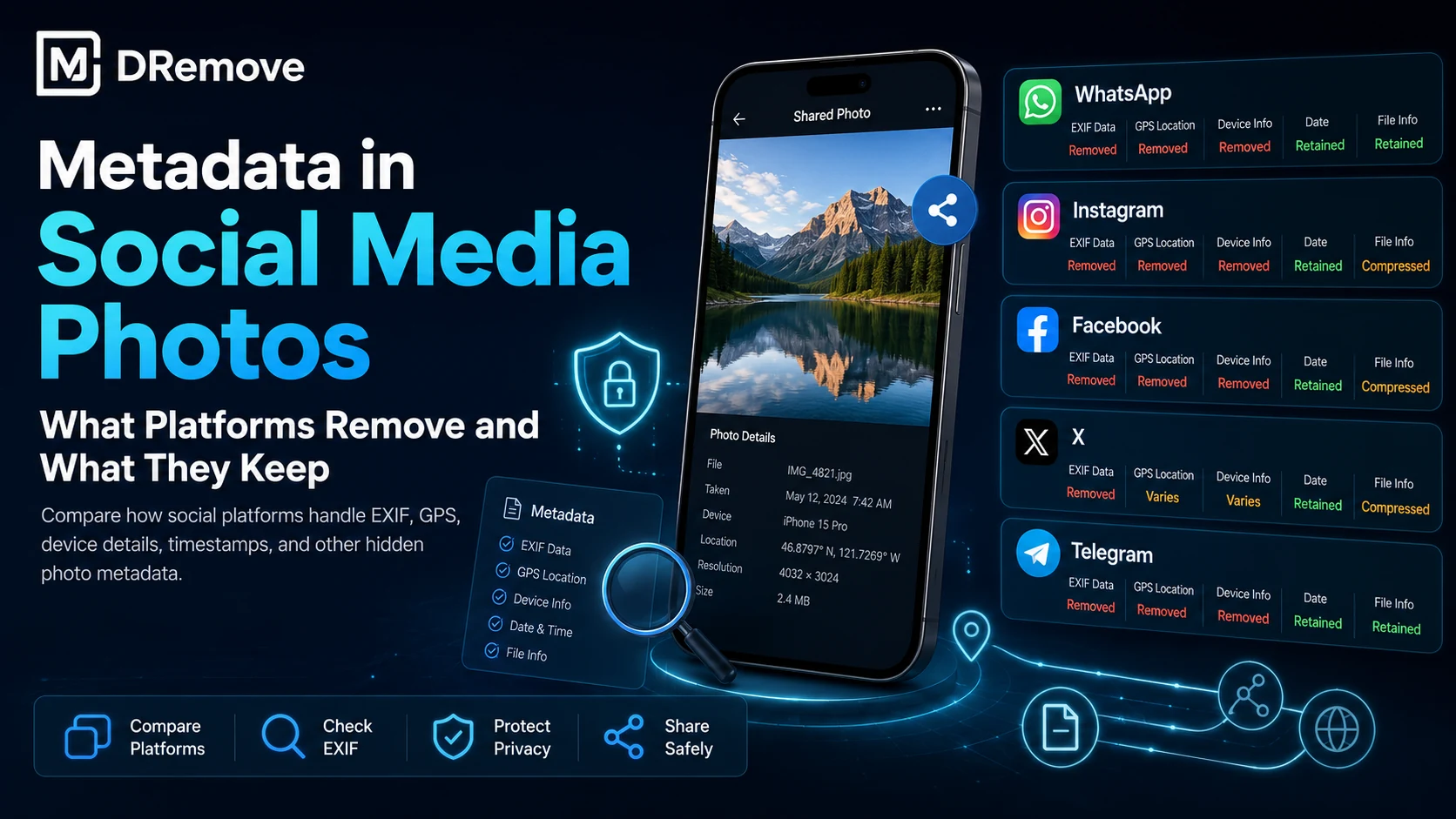
Quick answer: Instagram, Facebook, X, marketplaces and chat apps handle metadata differently. Learn why the original file still matters for privacy and verification.
Metadata is hidden information stored inside a file. It can help software organize and display a file correctly, but it can also reveal details that were never meant for the final recipient: where a photo was taken, which device created it, who authored a document, or which application edited it.
Why this metadata matters
For personal sharing, metadata can expose location history, timestamps and device details. For business files, it may reveal author names, internal company fields, template names, revision traces or software versions. For publishers and creators, metadata can also affect verification because missing or inconsistent fields may change how a file is interpreted.
| What to check | Why it matters |
|---|---|
| Location and GPS fields | May reveal home, office or travel locations. |
| Author and company fields | Can expose internal names or business details. |
| Device and software fields | May reveal camera, phone, editing app or workflow. |
| Creation and modification dates | Can expose timelines or revision patterns. |
What to check before sharing
- Open the file in a metadata viewer before sending it.
- Review GPS coordinates, author names, comments, revision fields and software tags.
- Check whether the visible file content matches the technical metadata.
- For sensitive files, keep an original copy and share only a cleaned version.
Use mdremove when you need a quick report before publishing, sending or uploading a file. The goal is simple: understand what hidden information exists, then decide what should be removed.
How to remove or reduce the risk
The safest habit is to clean a copy of the file before sharing. For images, export a clean version without EXIF or GPS tags. For documents, remove document properties, comments and revision traces. For PDFs, review author, title, producer, creation date and custom fields.
Metadata is useful while creating files, but it should be reviewed before files leave your device or organization.
Frequently asked questions
Is this metadata always visible?
No. Some metadata is visible in file properties, while other fields need a metadata viewer to inspect safely.
Should I remove metadata before sharing files?
Yes, when the file may reveal location, author, device, software, timestamps, comments or business information you do not want to share.
Can removing metadata damage the file?
A careful metadata-cleaning workflow should preserve the visible content while removing supported hidden fields. Always keep the original when the file is important.
What should I check first?
Start with GPS location, author or company names, creation and modification dates, camera or device model, software fields and comments or revision history.