This image may look real. The file record is where the review starts.
AI images are now realistic enough to pass a quick visual check. A clean facade, a natural street scene or a realistic product photo can all be generated without a camera ever being used. If you are asking “is this image AI?” or “how can I check if a photo is real?”, metadata is one of the best places to start.
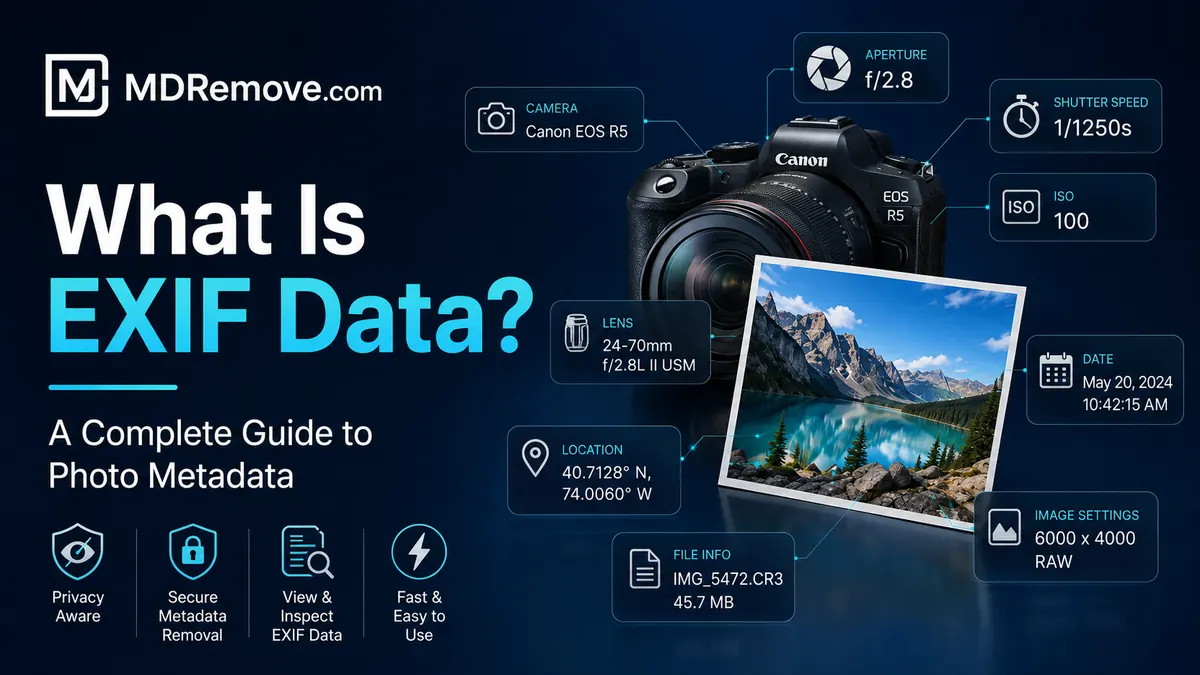
A strong review compares EXIF data, camera make and model, lens fields, exposure settings, GPS tags, timestamps, software history, dimensions and any C2PA Content Credentials attached to the file. No single field proves everything, but together these signals help separate a camera original from an edited export or AI-generated image.
What to look for: Real photos vs. AI images
The fastest way to assess an image is to check which metadata fields are present and whether they make sense together. Searchers often look for an “AI image detector”, but the practical workflow is to compare real photo metadata against generated-image metadata patterns.
| Field | Real camera photo | AI-generated or exported image |
|---|---|---|
| Camera Make/Model | Often present, such as a phone or camera model | Often absent or replaced by software fields |
| Lens info | May include focal length, aperture and lens model | Usually absent unless inserted later |
| Exposure settings | May include shutter speed, ISO and f-number | Usually absent or inconsistent |
| GPS coordinates | May appear when location was enabled | Usually absent |
| DateTimeOriginal | Often present in camera originals | Often missing, generic or rewritten |
| Software field | Camera firmware, editor name or blank | May show an editor, generator or conversion workflow |
| Content Credentials | May identify a trusted capture or editing chain | May label the file as generated or algorithmically created |
What matters most is internal consistency. If a file claims to be a camera original, the device model, image size, exposure values and timestamps should form a believable pattern.
What are Content Credentials?
Content Credentials are provenance records attached to some media files. They can describe the tool used to create or edit the file, whether AI was involved and whether the record appears intact.
They are different from ordinary EXIF. Standard EXIF can be edited or removed easily. A signed credential is designed to make changes visible when the record is altered.
| Signal | What it can show | How to read it |
|---|---|---|
| Digital source type | Captured, edited, generated or software-created origin | Look for AI-related source labels |
| Software agent | The tool or app that created the credential | Compare it with the claim made about the image |
| Credential status | Whether the provenance record appears intact | Broken or missing records reduce confidence |
How to check if an image is AI-generated, step by step
Use metadata as a structured review process, not as a single yes-or-no button.
Step 1: Check the EXIF metadata
Start with camera fields: Make, Model, LensModel, ExposureTime, FNumber, ISO, DateTimeOriginal and GPS. A normal photo may not include all of them, but a complete absence of camera fields is a signal to investigate further.
Step 2: Check for C2PA Content Credentials
If the file includes credentials, read the source type, software name and status. A trusted credential that identifies an AI workflow is much stronger than a visual guess.
Step 3: Look for inconsistencies
Compare the metadata with the image. A supposed camera photo with an impossible resolution, missing exposure fields or an export-only software trail may not be an original capture.
Step 4: Use source context as a supplement
Check where the image appeared first, whether other versions exist and whether the person sharing it has a reliable source. Metadata works best when combined with context.
When AI image detection using metadata does not work
- Metadata can be stripped. Social apps and messaging tools often remove EXIF and provenance records.
- EXIF can be edited. Ordinary metadata fields are not tamper-proof.
- Screenshots replace the original record. A screenshot usually has the metadata of the screenshot device, not the original file.
- Editing software rewrites fields. Exporting through an editor can replace dates, software and color data.
- Some AI tools export minimal metadata. No credential does not automatically mean real or fake.
The burden of proof has shifted
Trying to prove every image is fake is not practical. A better default is to ask what evidence supports authenticity. A useful file record can show capture, editing and provenance signals; a file without those signals should be treated as unverified.
Asking for the file record should feel as normal as asking where a quote came from.
Metadata does not replace judgment. It gives you a structured layer of evidence before you decide whether to trust or publish an image.
The future of image verification
Image verification is moving toward a mix of camera metadata, signed credentials, platform labels and human review. The more realistic generated media becomes, the more important the hidden file record becomes.
Frequently asked questions
How can I check if an image is AI-generated?
Start with EXIF metadata, camera fields, software history and C2PA Content Credentials. Missing camera data, AI source labels or inconsistent file history are important signals.
Can metadata prove a photo is real?
Metadata can support authenticity when camera fields, timestamps and provenance records are consistent. It should still be combined with source context and visual review.
What metadata fields help identify a real camera photo?
Useful fields include camera make and model, lens data, exposure settings, ISO, date taken, GPS coordinates, software history and content credentials.
Can EXIF data be faked?
Yes. Standard EXIF can be edited or removed, so consistency checks and signed provenance records matter.
Why do social media downloads often have no metadata?
Many platforms remove metadata from public copies, even if the original upload contained it. In that case, use the original file or review the source context.